Piper – a Minecraft toolbox for anyone to create and invent with technology. Build electronics. Invent power-ups. Create the future.
 So – the kids were pretty excited last week to hear from Mark at Piper all about their fabulous new toolbox for budding engineers who happen to like Minecraft!
As a family we tend to use ‘screentime’ as a reward at the end of the week, for best behaviour, and finishing homework without it being an excruciating teeth-pulling exercise. Minecraft is their favourite ‘go to’ game, and without further ado, read what our 10yo thought of Piper, and then watch the video!
In short, my son, 10yo RB says this:
“Minecraft toolbox – Build electronics with Piper. Piper is brilliant for seven and ups. I think it is really awesome because the instructions are in the game so it would make children and adults interested in making things outside of the game. Minecraft is a good way to get people that like Minecraft to play it. It will make a brilliant Christmas or birthday gift. It will entice people to play because it is easy to build so you can get started really quickly. Raspberry Pi is what all of the software runs on. Raspberry pie is a mini computer if you’ve got all the right equipment and gadgets luckily all of that comes in a really well made wooden box. The screen comes readymade and all fits in.
There are ten action-packed levels to complete in the game. You have to make your own buttons and fit the wires in the right places. The mouse comes with the box so you can look around.
There are lots more interesting exciting things about the game but they are for you to find out.”
RB Age 10 says – “NOW watch this video!”
How it works:
– First you assemble the wooden toolbox and connect it with the Raspberry Pi 2, a 7 inch LCD display, a power bank, and an assortment of electronics.
– Once assembled, you enter a Minecraft adventure map viewable on the LCD screen.
– Your Mission: guide a robot to rescue astronauts on a foreign planet. The robot’s hardware is damaged on the way over, and you have to build it in real-life to control the robot in the game to save the day!
 How this educates kids:
– Each gadget you build gives you a special power-up and progresses you through the game
– First build the controller to navigate your robot. Add switches to activate hidden bridges and doors. A row of lights to serve as a proximity sensor and more.
If you want to find out more, click here. Piper are on facebook and twitter.
Ali also blogs over on aGreenerLifeforus.com and FunCraftsKids.com and is a new lover of Instagram too… pop over and say hello!
 My little blonde boys are both incredibly fascinated by the Orient, and at the beginning of every year are keen to go to Chinatown to celebrate Chinese New Year. We are lucky enough to be close to London’s Chinatown and a couple of years ago they bought some rather lovely window clings, graphic and colourful, but really too big for their bedroom windows in our Edwardian house.

 1) Print off the Chinese New Year printables template
  1) once you’ve printed off the Chinese New Year printables template, blu tack the clear plastic cd wallet into position over the graphic and start tracing around the illustration with a black sharpie pen.
 We do rather love a home made wreath in our house at Christmas, so much so that every year there is a battle as to whose is featured on the front door!


 click this link to download the template Moustache Jewellery KidsChaos
 Ali also blogs over on



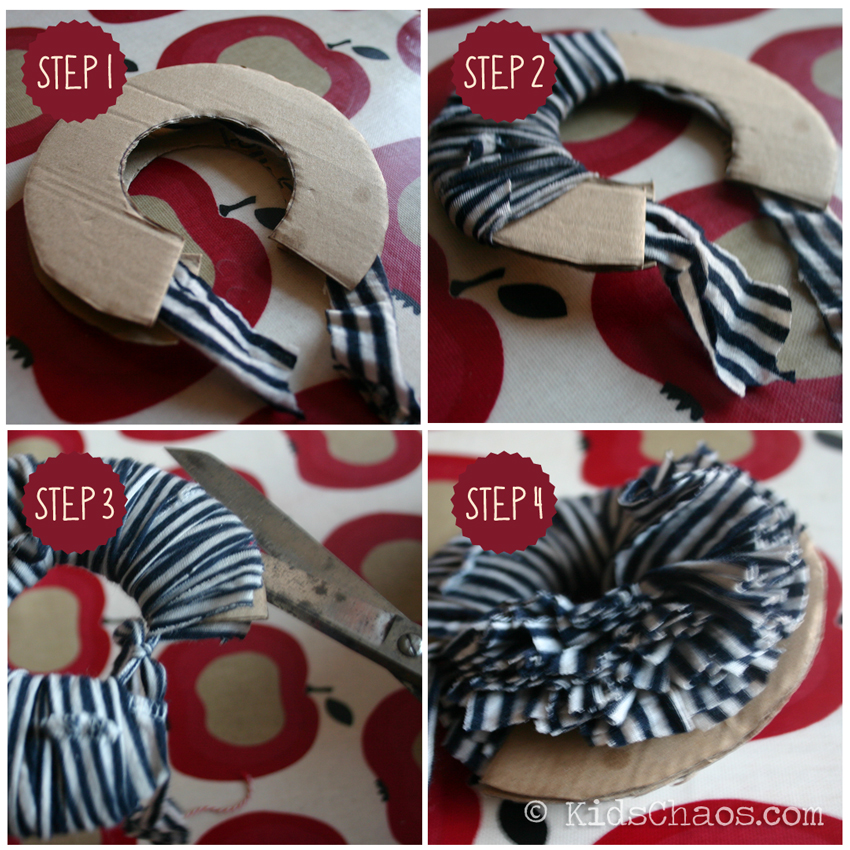


 6) Fan the pom-pom out flat as it will go
 1) We made the glue: mixed one cup of flour, and two cups of water, and a teaspoon of cinammon (that way it smells nice too)

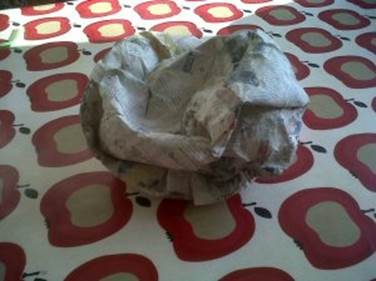
 We learnt an important lesson here, on Day 2 when we went back to add another layer, 7yo’s balloon had shrivelled, but we layered on some more paper mache…. MISTAKE, with no balloon inside to hold it’s shape this happened…